Walkthrough
Every screen of Minute, and a demo to try
Pictures and short clips of a made-up studio, screen by screen. Then sign in to the same studio and look around.
Try the demo
Harbor & Pine Studio is a made-up design studio with Claude, ChatGPT, Grok and Codex connected. Sign in as its owner and look around: every screen on this page works.
- minute.demo@example.com
- Password
- HarborPine-Demo-3204
On the sign-in page, choose Use a password instead, then enter the login above.
The studio runs on Sydney time, and its assistants keep filing through the day, so Today fills up as the day goes on there.
Everyone with this page shares the account, so others may change things while you look. Please don’t type anything private, and don’t connect your own assistant to it.
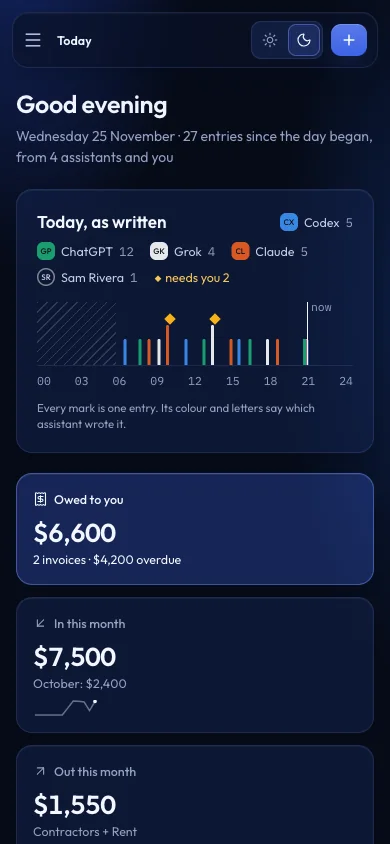
Today
The page you read in the evening
Today puts the day on one page, so you never have to ask each assistant what it did.
- Today, as written: one mark per entry, coloured and lettered by the assistant that wrote it.
- Five figures: what you are owed, money in and out this month, the open pipeline, and what renews this week.
- Needs you: overdue invoices, renewals, drafts waiting for your approval, and customers gone quiet.
- The day, by assistant, newest first.
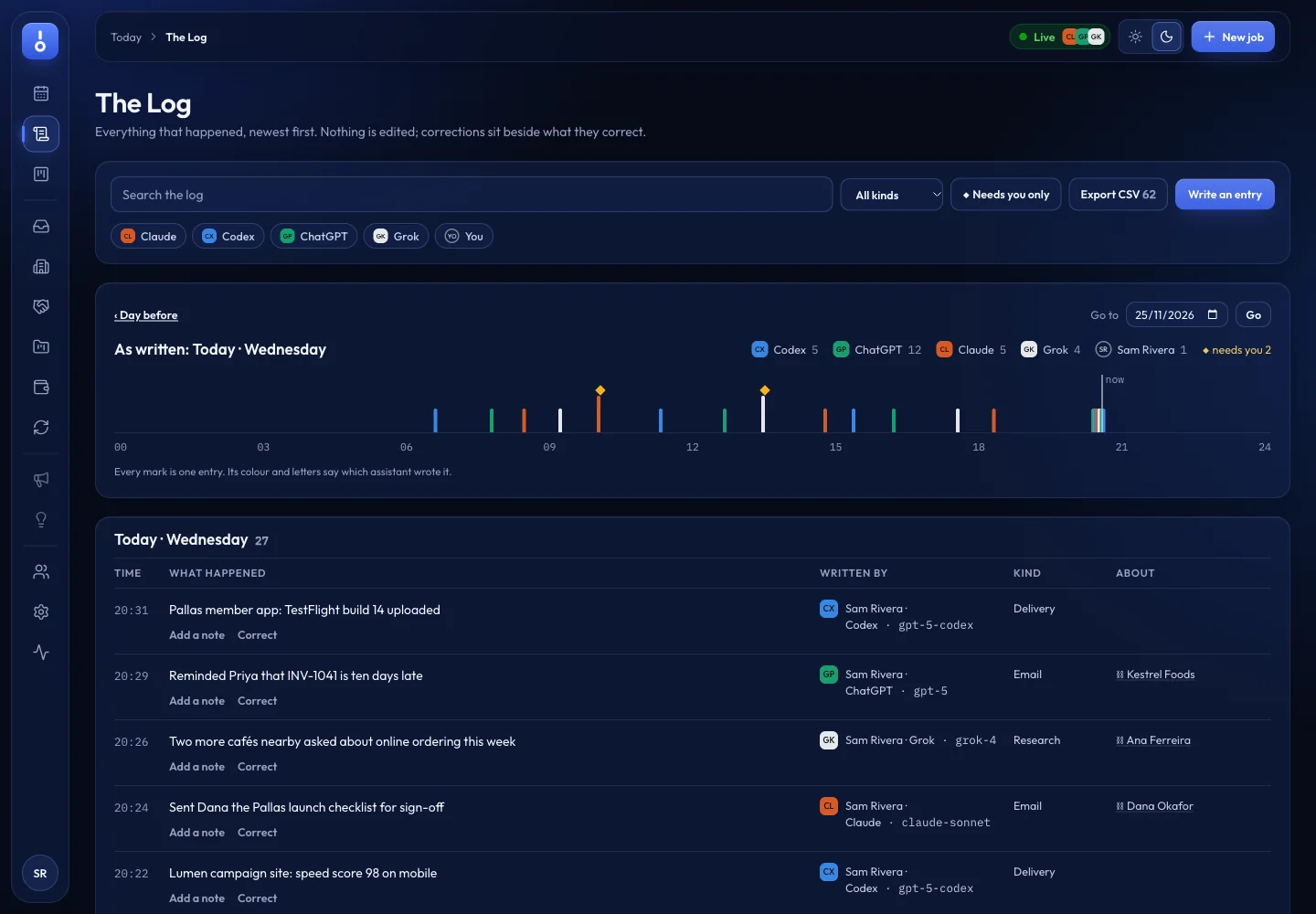
The Log
Everything that happened, newest first
Nothing is edited. A correction sits beside what it corrects. Search, filter by kind or by who wrote it, add notes, and export what you see.
Board
Jobs for your assistants
Post a job. An assistant that can do it takes it, does the work, and hands back anything that needs your say, such as an email to approve before it goes. You mark the result right or wrong.
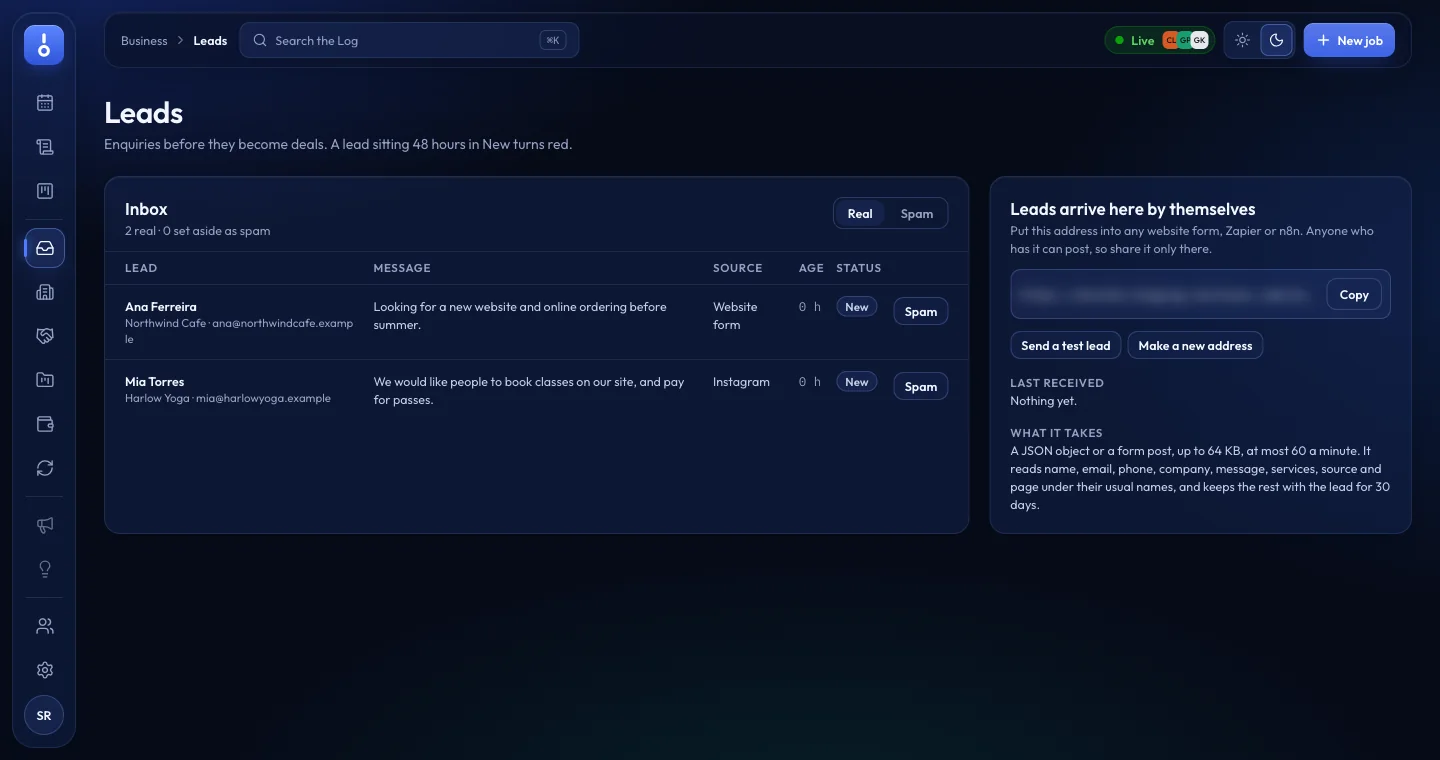
Leads
Enquiries arrive by themselves
Give your website form, Zapier or n8n your Leads address. Spam is set aside. "Make it a deal" turns a lead into a customer, a contact and a deal in one step.
Customers
Who you work for, and who has gone quiet
Customers with open work and no call, email or meeting for 30 days come first. Each opens in a panel with its deals, invoices, projects, people and everything about it.
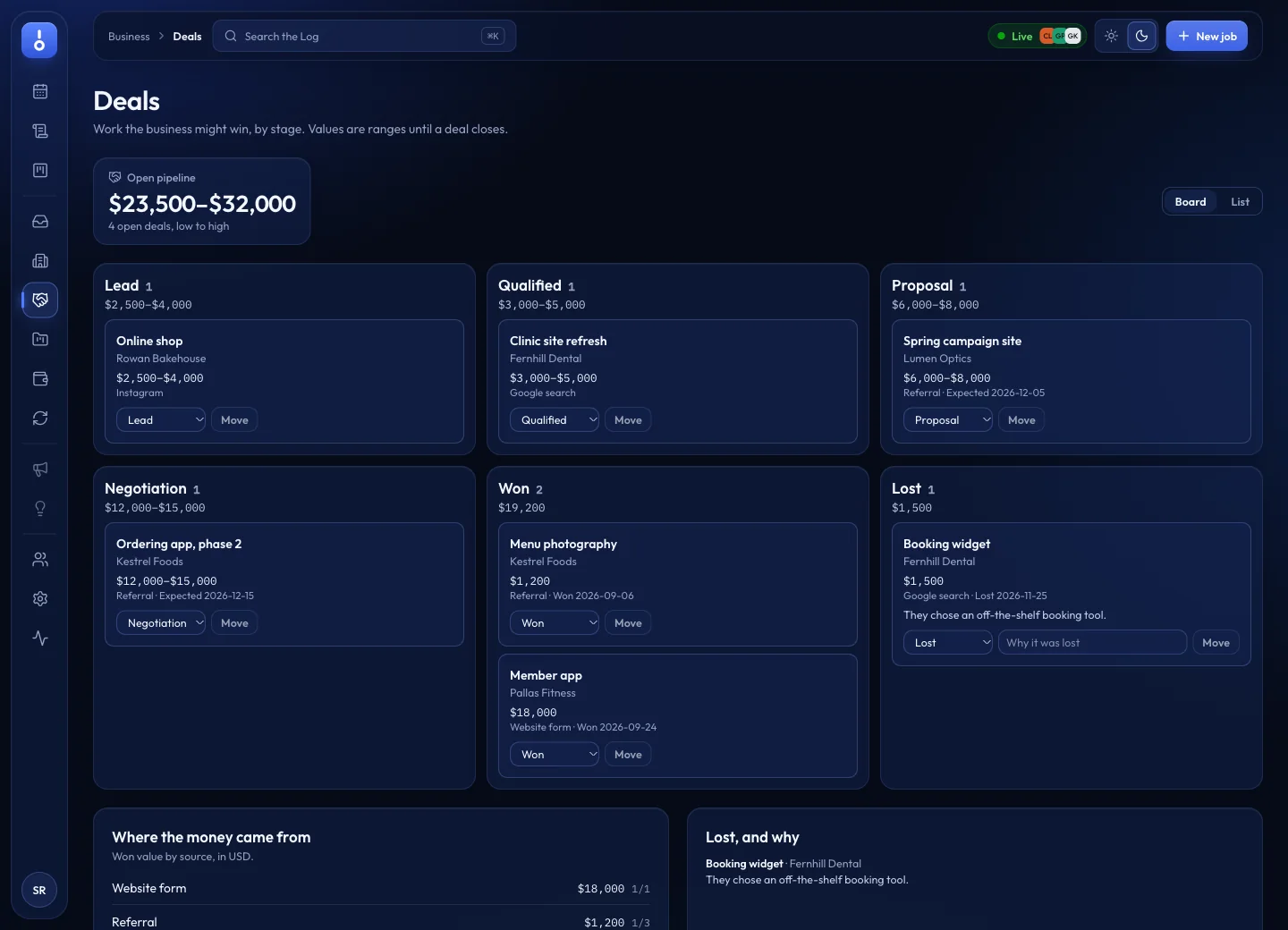
Deals
Work you might win, by stage
Values are ranges until a deal closes. See where the money you won came from, and why deals were lost.
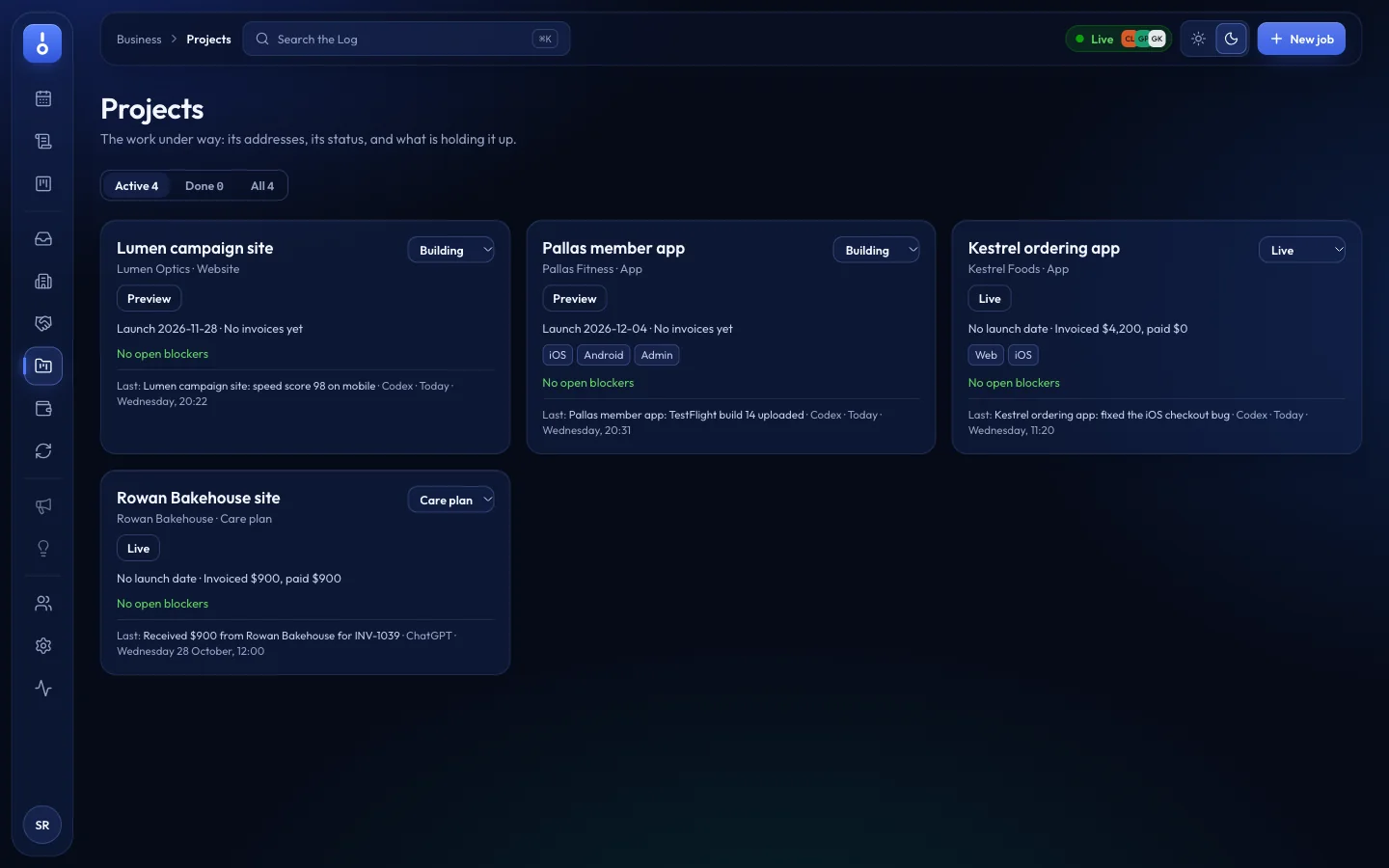
Projects
The work under way
Each project shows its live site, preview and code, what is holding it up, and when it launches.
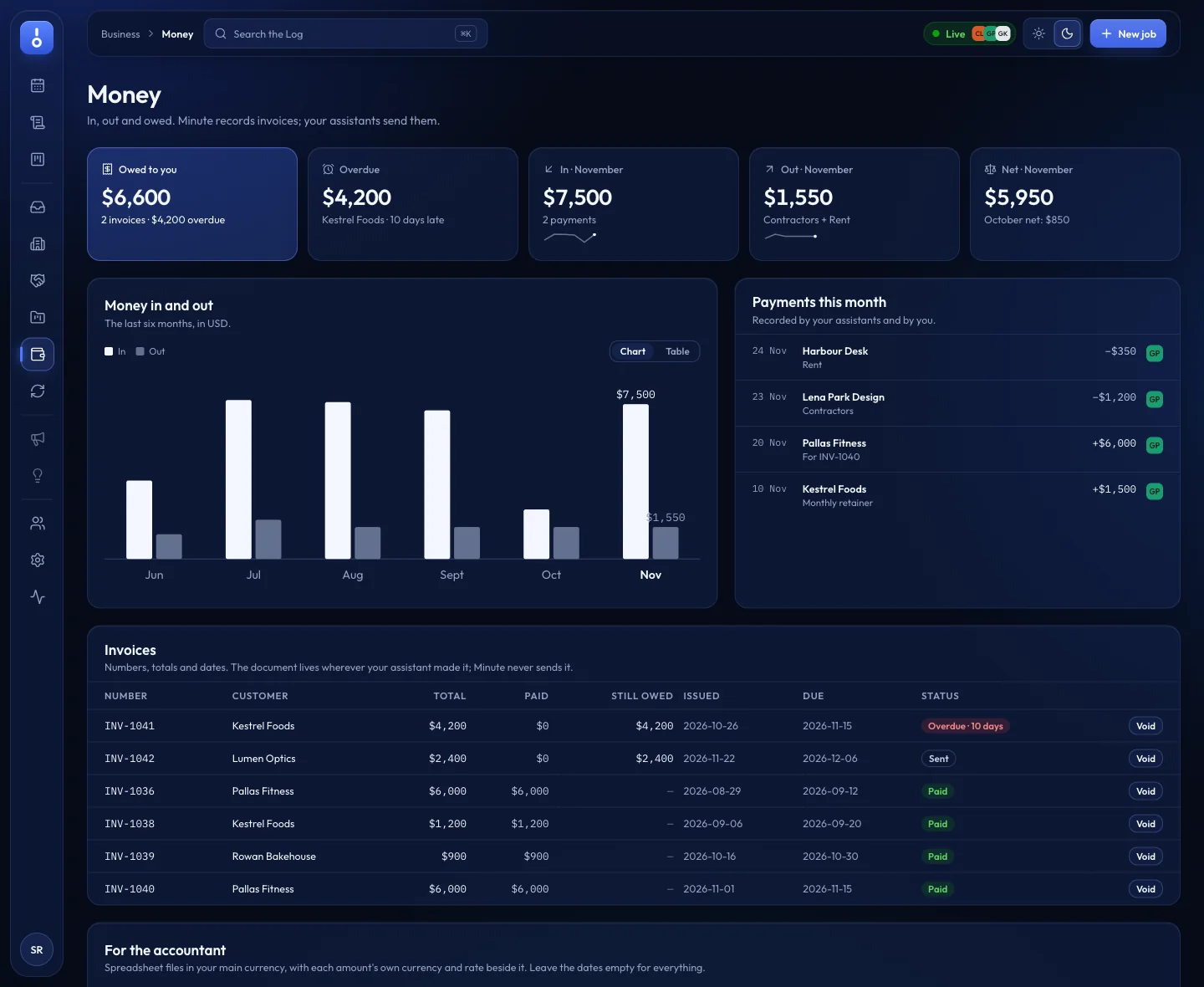
Money
In, out and owed
Invoices with their status, six months of money in and out, this month's payments, and two files for your accountant. Minute records invoices; your assistants send them.
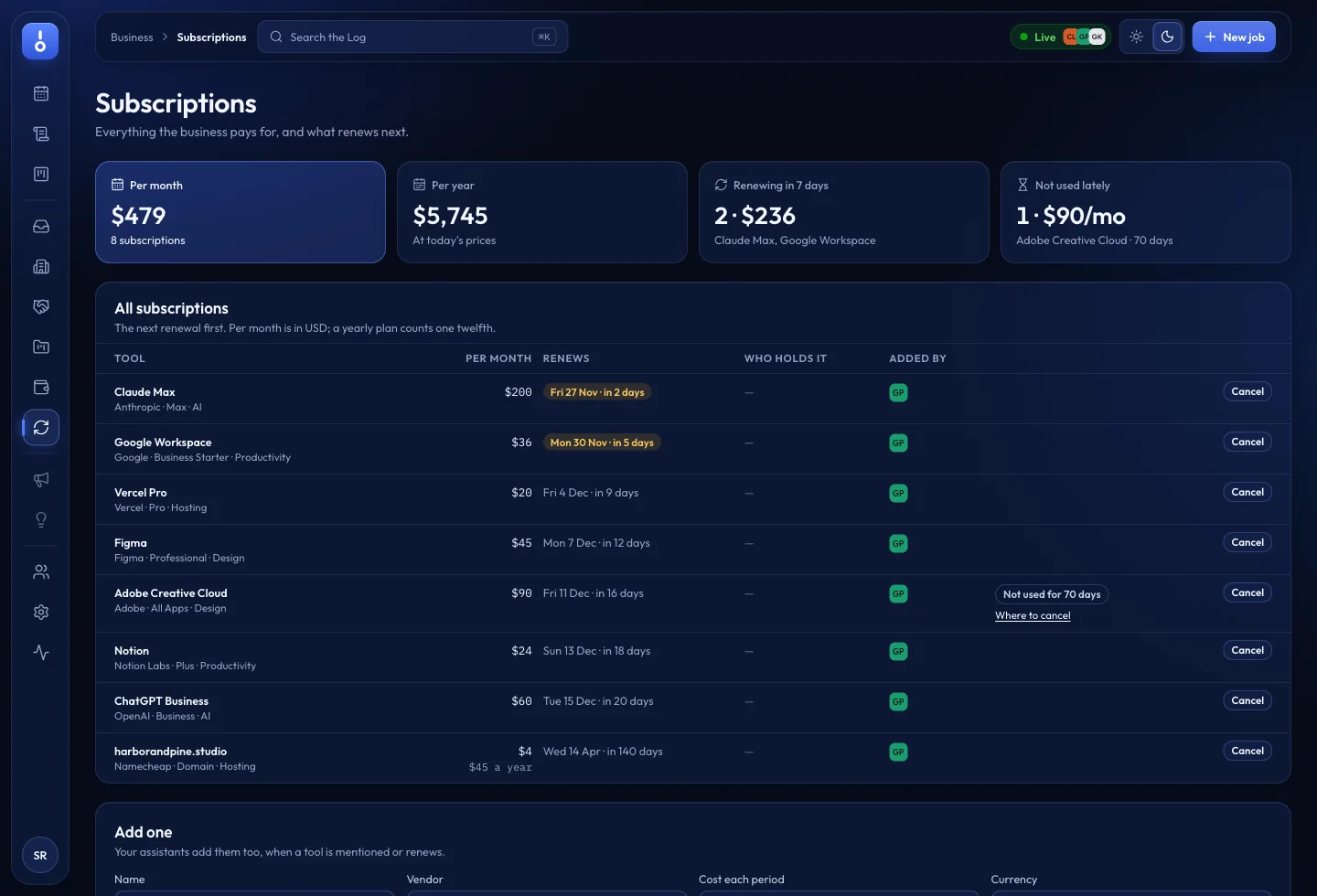
Subscriptions
Everything the business pays for
The cost per month and per year, what renews in the next seven days, and what nobody has used lately.
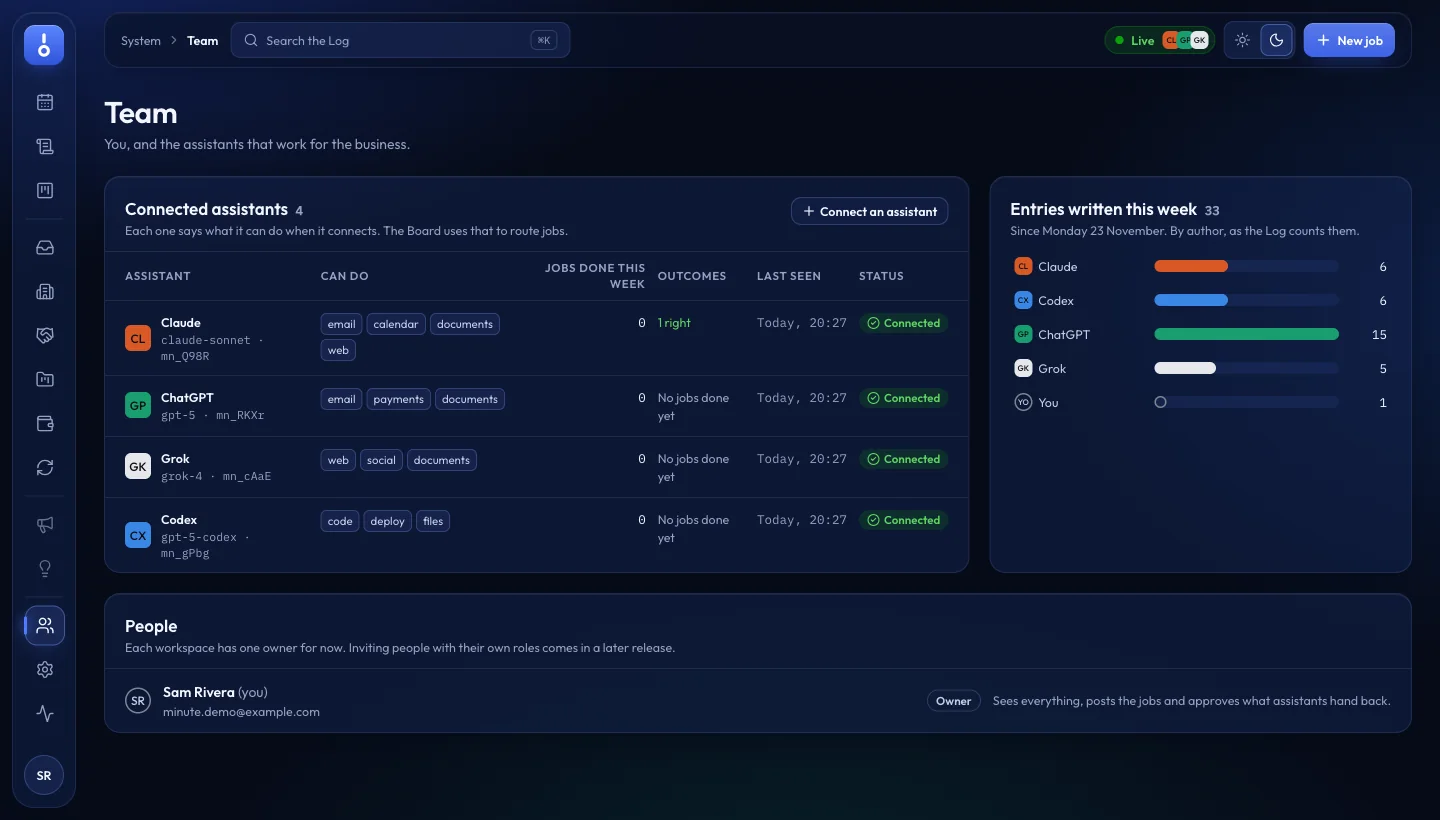
Team
Your assistants, side by side
What each assistant can do, the model it runs on, the jobs it finished this week, and how often its work was right.
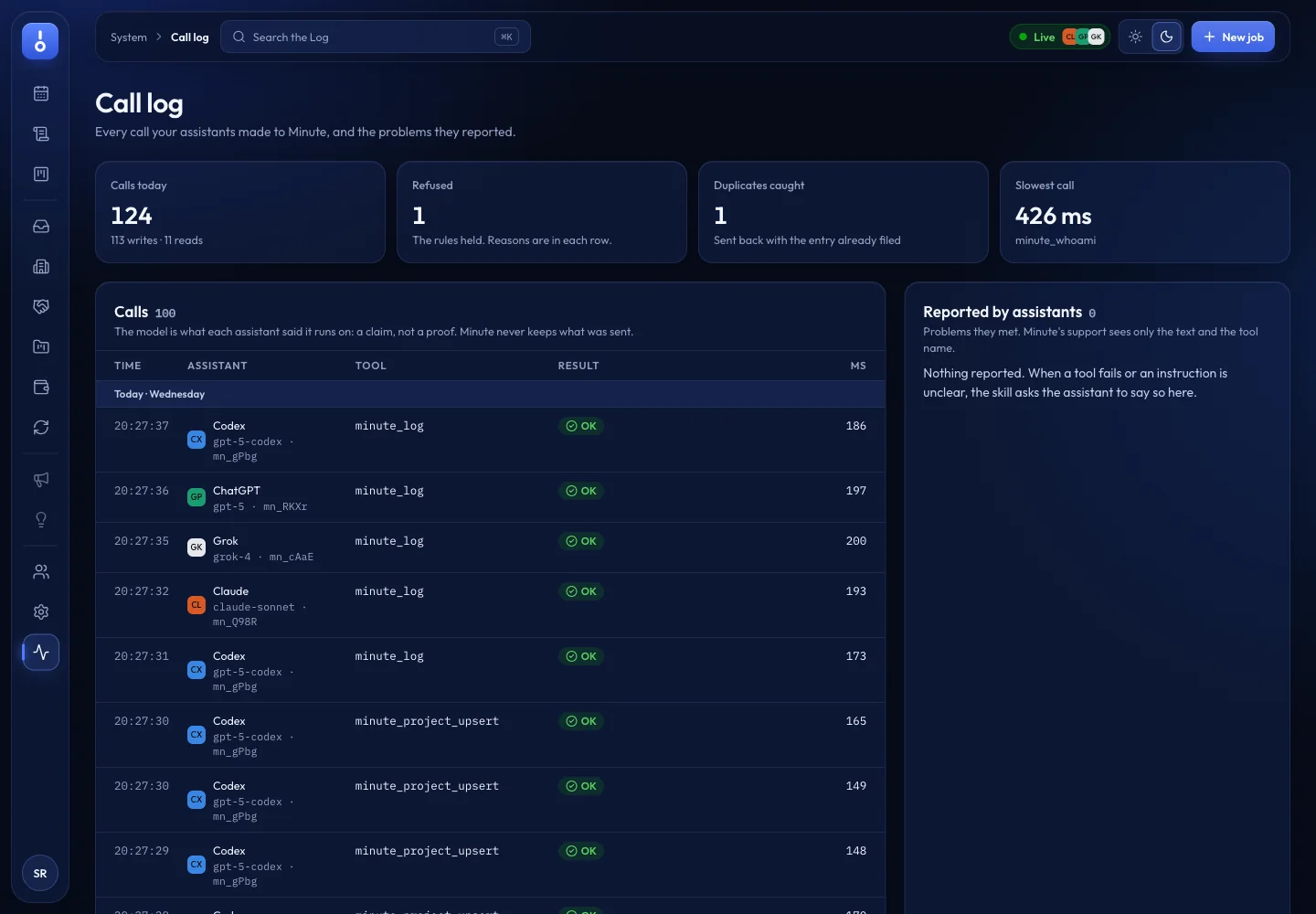
Call log
Every call your assistants made
When Minute refuses a call, the reason is in plain words, such as a duplicate it caught before it reached your record.
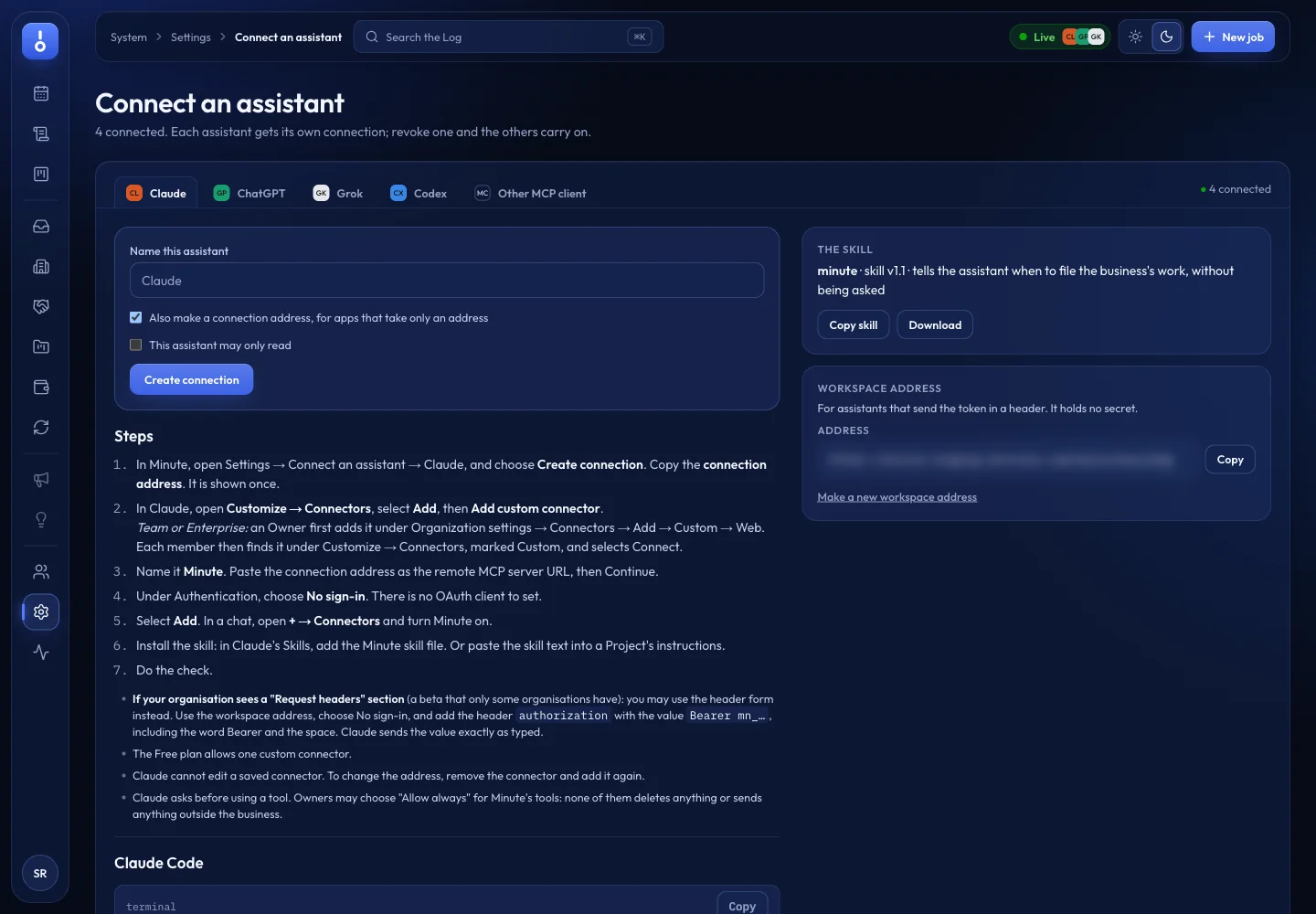
Connect
Connect an assistant in a few minutes
Steps for Claude, ChatGPT, Grok, Codex and any other MCP client. Create a connection, add it to your assistant, add Minute's skill, and ask the assistant to check.
On a phone, in light or dark
Wherever you read it
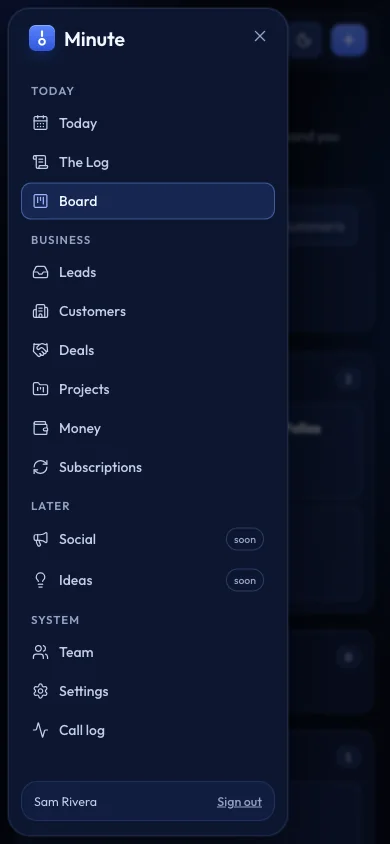
Every screen works in a phone’s browser, with the menu at the top left. Light and dark are both designed; switch in the top bar.
Coming next
- The evening summary, built for you at the end of your working day.
- Plans and billing.
- Apps for iPhone and Android.
Start with one assistant.
The Free plan connects one assistant and needs no card. Your workspace opens with an example business, so Today is never empty.